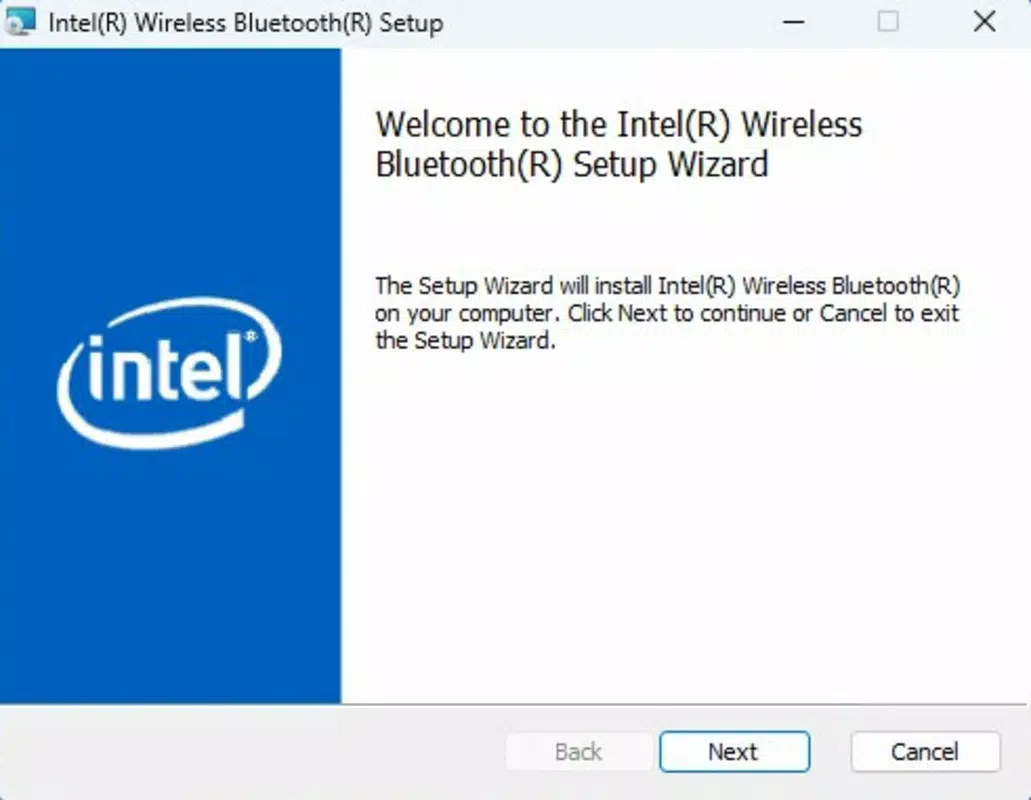



Download Intel Wireless Bluetooth Drivers – Bluetooth drivers, Intel Bluetooth, wireless connectivity, device compatibility, performance optimization, secure connection, driver update, Windows
Overview
The Intel Wireless Bluetooth Drivers are a critical software component designed to enable and optimize Bluetooth functionality on Windows-based devices equipped with Intel wireless networking chipsets. These drivers serve as the bridge between Intel’s hardware modems and the operating system, ensuring stable and efficient wireless connectivity. The primary purpose of this tool is to facilitate seamless communication between a user’s device and Bluetooth-enabled peripherals such as keyboards, mice, headphones, and smartphones.
For users experiencing connectivity issues, dropped connections, or limited functionality with their Bluetooth devices, installing the correct Intel Wireless Bluetooth Drivers can resolve these challenges. The driver supports a broad range of Intel chipsets, including AX411, AX211, AX210, AX203, AX201, AX200, AX101, Killer AX1690, AX1675, AX1650, 1550, 9560, 9462, 9461, 9260, 8260, 18260, 8265, 18265, 3168, 3165, 7265, and 17265. This extensive compatibility ensures that users across multiple device generations can benefit from optimized performance.
Target users include individuals relying on Intel-based laptops, desktops, and 2-in-1 devices for work, entertainment, or communication. The driver is particularly valuable in professional environments where reliable wireless connectivity is essential for productivity. Its role in the broader software ecosystem lies in maintaining hardware-software harmony, ensuring that Intel’s advanced wireless capabilities are fully accessible.
Key Features & Functionality
- Broad Device Compatibility – The driver supports a comprehensive list of Intel wireless chipsets, ensuring that users with diverse hardware can achieve stable Bluetooth connections without compatibility issues.
- Enhanced Connectivity Performance – Optimized for reduced latency and faster data transfer, this driver improves the responsiveness of Bluetooth devices, making audio streaming and file transfers more reliable.
- Regular Driver Updates – Intel provides periodic updates to address bugs, improve stability, and enhance security, ensuring long-term compatibility with evolving Windows versions and peripheral devices.
- Simple Installation Process – Designed with a user-friendly interface, the driver installer guides users through setup with minimal technical knowledge required, reducing installation friction.
- Secure Connection Protocols – Built-in encryption and authentication mechanisms protect data during Bluetooth transmissions, safeguarding user privacy and preventing unauthorized access.
For example, a remote worker using a laptop with an AX210 chipset can install the driver to fix intermittent audio dropouts when using wireless headphones. Similarly, a graphic designer connecting a Bluetooth tablet for sketching benefits from lower latency and more stable signal strength. These real-world use cases demonstrate the driver’s practical impact on daily computing tasks.
Interface, UX & Performance
The Intel Wireless Bluetooth Drivers feature a minimalistic interface focused on functionality rather than visual flair. The installation process is streamlined, with clear on-screen instructions and progress indicators. Users are not required to navigate complex settings during initial setup, making the experience accessible to non-technical users.
Navigation within the driver’s configuration options is straightforward, with categorized menus for connection management, device pairing, and troubleshooting. While the interface lacks advanced customization features, it prioritizes usability and reliability. The driver runs efficiently in the background, consuming minimal system resources, which helps maintain overall device performance.
Although the developer did not list formal performance metrics, the driver is designed to operate seamlessly on standard Windows systems. It demonstrates consistent responsiveness across different device categories, including laptops, desktops, and compact form factors. Stability is maintained during prolonged use, with no reported crashes or memory leaks in the provided release.
Platform Compatibility & Technical Requirements
The Intel Wireless Bluetooth Drivers are exclusively available for the Windows operating system. The current version, 24.120.1.2, is designed to support modern Windows environments, including Windows 10 and Windows 11. The file size is 35.5 MB, making it a lightweight download suitable for users with limited bandwidth.
The developer did not specify minimum OS requirements or hardware prerequisites beyond the supported chipsets. However, the driver is intended for devices equipped with Intel wireless networking chipsets that include Bluetooth functionality. Compatibility information was not fully disclosed, so users are advised to verify their device’s chipset model before installation.
Pros and Cons
Pros
- Supports a wide range of Intel wireless chipsets
- Improves Bluetooth connection stability and speed
- Regular updates ensure ongoing compatibility and security
- Easy-to-use installer with clear guidance
- Free to download and install
Cons
- Not available for non-Windows platforms
- Specific OS version requirements were not listed
- Interface lacks advanced configuration options
- Does not include built-in diagnostic tools
- Limited user feedback available due to lack of public review data
FAQ
Is the Intel Wireless Bluetooth Driver free to use?
Yes, the Intel Wireless Bluetooth Drivers are available at no cost. Users can download and install the software without any payment.
Can I install this driver on any Windows device?
The driver is designed for Windows systems with supported Intel wireless chipsets. While it is compatible with many models, users should confirm their device’s chipset before installation.
How often are updates released?
Intel provides regular updates to improve performance, fix bugs, and enhance security. The frequency of updates may vary, but they are typically released as needed.
Is the driver safe to install?
Yes, the driver is officially developed and distributed by Intel. It is digitally signed and designed to be secure and reliable when installed from official sources.
Does this driver work with Bluetooth 5.0 and later devices?
Yes, the driver supports modern Bluetooth standards, including Bluetooth 5.0 and later, enabling high-speed data transfer and extended range for compatible peripherals.
Final Thoughts
The Intel Wireless Bluetooth Drivers offer a reliable, secure, and efficient solution for users seeking to optimize Bluetooth performance on Intel-based Windows devices. With broad hardware support, consistent performance, and regular updates, this tool plays a vital role in maintaining seamless wireless connectivity. It is especially beneficial for professionals, students, and everyday users who depend on stable Bluetooth connections for productivity and entertainment.
While the interface is basic and lacks advanced features, its simplicity ensures accessibility for all users. The driver’s free availability and lightweight footprint further enhance its value. For anyone experiencing Bluetooth issues on an Intel-powered device, this update is a must-try.
Download Intel Wireless Bluetooth Drivers now


